
Technical notes
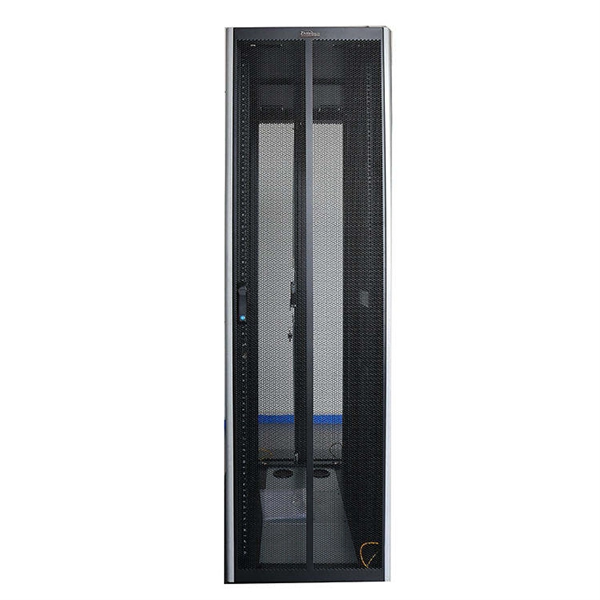
HES Series Installation Guide
There are 5 undrilled U-shaped Fiber Cable Input Holes reserved for flexible fiber installation. To use these holes for fiber installation, first use a mini hand drill to drill U-shaped holes as pre-outlined in
Fiber Cable Tray System
Cut the flexible hose to the desired length, then insert one end of the hose into the hose bracket and route the hose to the desired location at the top of the cabinet/rack.
How to Install a Fiber Optic Splice Tray Step by Step
Learn how to install fiber splice trays inside an enclosure step by step. Quick, easy, and essential for fiber pigtail management! https://bit.ly/4n8OCjl.
Fiber Cable Trays – Fiber Savvy
Our informative and experienced representatives are ready to assist you with any questions that you might have, regarding your fiber optic network. We offer a
Fiber Tray Installation after pulling Network Cabling | Example
Simple training video for our teams after pulling the fiber to locations, either the MDF or IDF spots. To secure the fiber and get it ready to splice for the pigtails.
How to Install Fiber Optic Raceway on Open Basket Cable Trays
This guide is based on field experience installing fiber optic raceway systems with manufacturer specifications and local requirements for your specific project.
Fiber Optic Cable Tray
Because our products are designed to be easy to install, we provide installation videos and installation manuals, and will provide product installation instructions.
FiberGuide® Fiber Raceways | CommScope
A web-based configuration tool that allows users to import layouts, design raceways in a 3D format and export detailed drawings and BOMs for easy installation and ordering.
Rack & Infrastructure Systems
Vericom® Fiber Tray Systems Vericom''s Fiber Cable Tray System is a comprehensive raceway solution for data center, enterprise, central office, and mobile switching center applications. Designed to route
Fiber Cable Trays – Fiber Savvy
Our Fiber Cable Tray System is a comprehensive raceway solution for data center, enterprise, central office, and mobile switching center applications. Designed to
Optical Cable Tray | Fiber Guide | Ducting | Raceway
Optical cable tray is a system designed to protect and route fiber optic patch cords, cable assemblies to and from network cabinets, ODF and other terminal devices.
Splicing 250 µm Fiber in a Splice Tray for Rack-Mount
Quickly learn how to properly splice an optical fiber into a standard splicing tray. This video focuses primarily on properly accessing and routing the cable before and after splicing.
Follow proven practices when installing fiber-optic cables
Cable trays or ladder racks provide a convenient and safe location in which to install fiber-optic cables. Trays can be situated in ceilings, below floors and in riser shafts.
GENERAL INFORMATION
Cable trays or raceways often provide a convenient, safe and efficient method of fiber optic cable installation. Trays can be installed in ceilings, below floors and in riser shafts. When installing fiber
Master Your Fibre Optic Installation: Step-by-Step Best Practices
This comprehensive guide delves into the intricacies of fiber optic installation, exploring topics ranging from cable types and pre-installation considerations to execution, safety protocols,
All You Need To Know About Fiber Termination Boxes:
Source In this blog, we will discuss the two types of fiber optic cables and the role of a simple yet essential piece of equipment in the fiber laying
How to Install Fiber Splice Tray
How to Install Fiber Splice Tray Fiber splice tray is used in fiber optic cabling as a protective case for protecting splices from outside plant environment and damage. Although the
Fiber Cable Trays
Our Fiber Cable Tray System designed to route and protect fiber optic and high-performance copper cabling to or from network cabinets, distribution frames or other devices. It includes channels,
Related Video Reference
This video was associated with the source search result. Verify technical details against current product documentation and project requirements.