
Technical notes
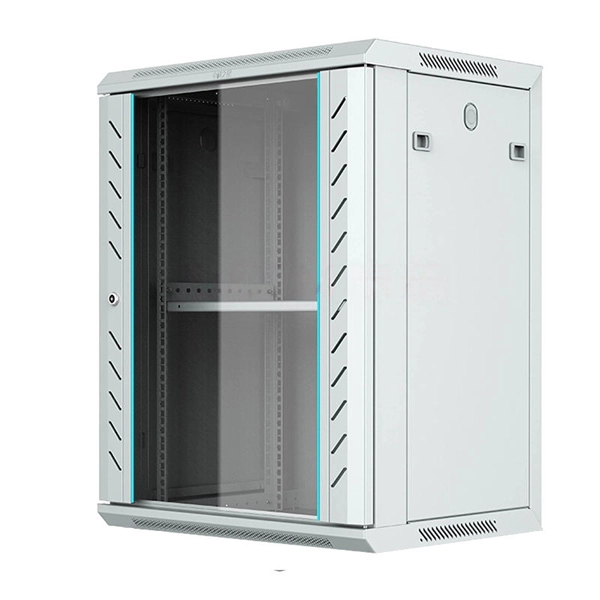
Network Cabinet Cabling: Guide & Documentation Tips
Network cabinet cabling describes the structured connection and arrangement of all IT components in a server rack. The aim is a secure, maintainable and scalable operation of the network environment.
Rack Mounting and Enclosure Options: A Comprehensive Guide
Proper mounting and installation of racks and enclosures can significantly enhance the efficiency and organization of your network setup. By following these guidelines, you''ll ensure a well-maintained
How To Wire a Server and Network Rack | Tips & Best
Discover rack unit sizing, cable management, labeling, bonding, and grounding for optimal performance and reliability.
How To Wire a Server and Network Rack | Tips & Best Practices
This guide explains smart rack cabling steps that work for homes and small businesses. You will learn layout basics, spacing rules, labeling habits, and grounding steps.
How to Properly Install and Organize Fiber Networking Equipment in a
This guide explains how to properly install and organize fiber networking equipment inside a rack mount enclosure, covering engineering principles such as backplane architecture,
Organising and wiring a rack cabinet: a complete guide for company
A network rack cabinet or panel contains servers, patch panels, connection panels and circuit breakers in a modular assembly, bolted to ensure security and efficient organisation for large data centres, IT
Network Rack Installation 101 – VCELINK
In this guide, we''ll see the tools you''ll need, the best and proven practices for server rack setup and network rack setup, and the detailed steps you''ll need to follow to achieve an efficient and
Network Rack Cable Management: 2026 Standards & Best Practices
Learn Cat6A requirements for Wi-Fi 7, PoE++ thermal management, SFP+ uplinks, and proper installation techniques for 10Gbps infrastructure. Modern network racks face new physical
Configuring network connections in rack view
Click a piece of network equipment to show existing connections or to create new ones. If for example a patch panel has connections to equipment outside the rack, the cables will be placed
Installing Network Rack | Patch Panel | Switch
Installing Network Rack | Patch Panel | Switch | Fiber Cable | by Tech Guru Manjit In Tech Guru Manjit we are uploading videos on various topics like technical, motivational, travel guide etc
How To Cable A Server Rack
Learn how to properly cable a server rack with this comprehensive guide. From organizing cables to ensuring proper airflow, we cover all the
Server Rack Cable Management: Best Practices and Comprehensive
Server Rack Cable Management: Best Practices and Comprehensive Guide Server rack cable management is the practice of organizing, routing, securing, and identifying cables within a server
A Guide to Server Rack Cable Management for Fiber
A successful fiber network requires a well-built infrastructure based on a strong server rack cable management system. Management of fiber cables has
How to Correctly Wire a Network Rack? – VCELINK
Wiring a network rack isn''t merely a technical exercise, it''s an investment in the performance of your system and your peace of mind. Properly cabling your network rack isn''t difficult,
Network Patch Panel Guide: How to Wire and Organise Your Rack
Understanding how to properly wire and organize a network patch panel is essential for maximizing rack space, improving airflow, reducing cable strain, and ensuring long-term reliability.
Setting Up a Server Rack – Server Rack Installation
If you want to learn more about the correct way of equipment installation, you''ll find a network rack installation guide in this article. Server Rack
Installing modules in a rack
With a Phillips screwdriver, loosely screw the module to the front of the rack, one screw on each side. See the circled areas in Figure 7. Align the module as needed. Then, tighten the screws on each
Network Rack Diagrams 101
A network rack diagram helps in designing and documenting a rack of network equipment. This means you place and visualize various pieces of
Related Video Reference
This video was associated with the source search result. Verify technical details against current product documentation and project requirements.