Skip to content
PROMETHEASOPTICAL Send a project enquiry
Reference library

Tips for using fiber optic communication

Published
  • Tips
  • Using
  • Fiber
Source context

AI source overview

Fiber optic communications transmit data as light pulses through glass or plastic fibers, offering high-speed, long-distance, and interference-free connectivity.

Understanding Fiber Optic Communication

Fiber optic communication works by converting information—such as voice, video, or data—into digital pulses of light. A typical system includes a transmitter (LED or laser), fiber optic cable, and a receiver. The transmitter converts electrical signals into light pulses, which travel through the fiber with minimal loss.

At the receiving end, a photodetector converts the light back into electrical signals, which can then be processed or displayed. For very long distances, repeaters or optical amplifiers like EDFA are used to boost the signal without degradation. Components of a Fiber Optic SystemFiber Optic Cable: Ultra-thin strands of glass or plastic that carry light signals.

They are immune to electromagnetic interference and can transmit data over long distances with minimal loss. Optical Network Terminal (ONT): Converts light signals from the fiber into electrical signals for devices like routers or computers. It is typically installed inside or just outside a building.

Router or Gateway: Distributes the converted data to devices via Ethernet or Wi-Fi. Modern routers supporting Wi-Fi 6 or higher are recommended for optimal performance. Fiber Media Converters: Used to connect fiber to traditional copper Ethernet networks, extending distance and providing electrical isolation for sensitive equipment.

Installation Steps for Home or Office

Network Assessment: A technician evaluates your area and plans the fiber route from the neighborhood network to your building. Fiber Drop Installation: Fiber cables are run from a terminal (pole or underground box) to your premises, often terminating in a Network Interface Device (NID).

ON

T Setup: The ONT is connected to the fiber and powered, converting light signals into electrical data. Router Connection: The ONT is linked to a router via Ethernet, distributing high-speed internet to devices. For larger spaces, mesh Wi-Fi systems may be added.

Testing and Activation: The technician verifies signal quality, speed, and coverage to ensure optimal performance.

Advantages of Fiber Optic Communications

High Bandwidth: Supports massive data rates, ideal for internet, TV, and long-distance communications. Low Latency and Signal Loss: Light-based transmission reduces delays and maintains signal integrity over long distances. Electrical Isolation: Fiber does not conduct electricity, protecting networks from surges, lightning, and interference.

Future-

Proof: Fiber networks can be upgraded to higher speeds without replacing the cables, making them scalable for future needs.

Practical Applications

Home Internet: Fiber-to-the-home (FTTH) provides gigabit speeds for streaming, gaming, and cloud services. Office Networks: Fiber ensures reliable connectivity for video conferencing, data centers, and PoE devices like cameras and access points.

Long-

Distance Communication: Submarine and terrestrial fiber links carry telephone, internet, and TV signals across continents. Industrial and Security Systems: Fiber protects sensitive equipment from electrical interference while maintaining high-speed data transfer. By understanding these components and installation steps, you can effectively use fiber optic communications to achieve fast, reliable, and secure data transmission for a wide range of applications.

Research context

Reference summary

Set Up a Fiber-Optic Network in Your Home or Office (2026)Find out how to use fiber optics for high speed networking, electrical isolation, and extending E.

From reference to enquiry

Questions for your project

Use these editorial prompts alongside the linked excerpts. They identify items to confirm for your project.

Technical notes

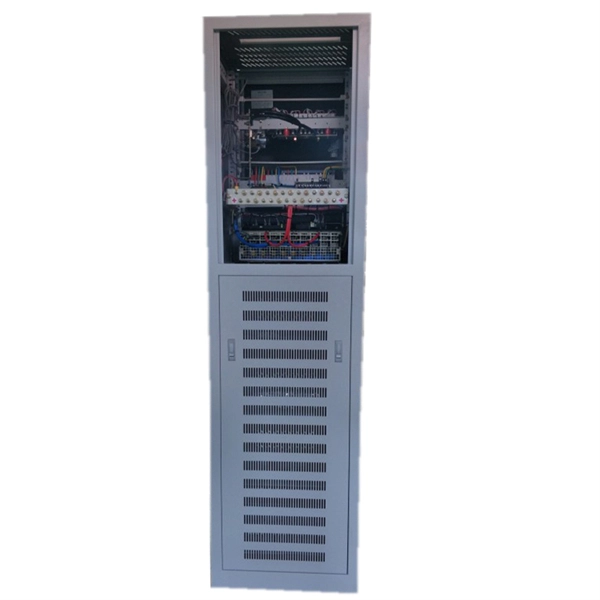
Illustrative equipment image

Set Up a Fiber-Optic Network in Your Home or Office (2026)

Find out how to use fiber optics for high speed networking, electrical isolation, and extending Ethernet networks. This article will give you an overview of the use cases for fiber-optic

Basics of fiber optic technology

How fiber optics work in your home: structure, transmission principles, singlemode vs. multimode, installation tips and common mistakes.

Optical Fibre Communication: Working Principle,

Optical fibre is preferred over electrical cabling for long-distance transmission, high bandwidth requirements, and immunity to electromagnetic

Best Practices for Fiber Optic Network Optimization & Maintenance

Learn best practices for fiber optic network optimization to ensure high performance, reliability, and scalability. Explore planning, installation, maintenance, upgrades, and monitoring

Optical Fiber Communications 101: Key Concepts & Technologies

Optical fiber communications use access lines known as fiber-to-the-home (FTTH), fiber-to-the-premises (FTTP), and fiber-to-the-room (FTTR). These access lines are connected via a network, called a

The Complete Guide to Fiber Optic Network Design and

In this broad guide, we will run through why, what, and how of Fiber optic network design and deployment — covering planning, challenges, best practices, and key decisions that drive success.

Understanding Fiber Optic Communication System: Working,

Explore how fiber optic communication transmits data as light pulses through optical fibers, ensuring ultra-high speed, reliability, and minimal signal loss.

Fiber Optic Network Design: 10 Powerful Tips for Success 2025

Learn fiber optic network design basics, best practices, and cost-saving tips to build fast, reliable, and scalable fiber networks.

Fiber-optic communication

Optical fiber is used by telecommunications companies to transmit telephone signals, Internet communication and cable television signals. It is also used in other industries, including medical,

Understanding Fiber Optic Communication System: Working,

Discover how fiber optic communication systems convert electrical signals into light pulses to deliver ultra-fast, reliable data transmission across long distances.

Complete Guide to Fiber Optic Home Networking | BroadbandSearch

Build a home fiber network for 1-2 Gbps speeds with this complete guide to installation, troubleshooting, and performance.

What Is Optical Fiber Technology, and How Does It Work?

While many of us have heard the term “fiber optics” or “optical fiber” technology to describe a type of cable or a technology using light, few of us really understand

How Fiber Optics Work

Fiber-optic lines have revolutionized phone calls, cable TV and the internet. It''s a really cool technology that enables the long-distance transmission of data in light signals, and is used in many more ways

What Is Fiber Optics? Definition from SearchNetworking

Learn how fiber optics works and why fiber is a common alternative to copper cabling. Also explore the advantages and disadvantages of optical fiber.

Indoor and Outdoor Fiber Optic Cable Installation: Key Considerations

Selecting the right fiber optic cable ensures efficient data transmission, longevity, and durability in various environments. This guide explores different types of fiber optic cable, including

Fiber Optic Troubleshooting: Expert Guide for Common Issues

Fiber optic troubleshooting is an essential skill for network administrators, technicians, and engineers responsible for maintaining and repairing fiber optic systems. These high-speed, high

Fiber Optic Basics | Optical Fiber 101 | Corning

Use our fiber 101 tutorials and videos and get the fiber optic basics to learn why optical fiber has fundamentally changed and improved communication.

What Is Fiber Optic Cable?

Compared to wired cables, fiber optic cables provide higher bandwidth and transmit data over longer distances. Fiber optic cables support much of the world''s internet, cable television, and

Related Video Reference

This video was associated with the source search result. Verify technical details against current product documentation and project requirements.

Share your network requirements

Share the fiber interfaces, termination capacity, cable route and evidence required for handover.

Send a project brief